YouTube Shorts
Designed a three-tool AI ecosystem — Sandbox, Stencil, and Brand Kit — that helps Shorts creators automate the tedious without giving up creative control. Master’s capstone, in partnership with YouTube Staff Mentors.
Overview
Project Type
- Design Consultancy
- Strategic Concept
My Contribution
- Product Design
- System Architecture
- Prototyping
- Logic Mapping
Tools
- Figma
- FigJam
- Google Docs
- Google Forms
Timeline
- Jan – Jun 2025
Team
- 3 designers
- 1 researcher
- YouTube Staff Mentors
TLDR;
Shorts has a creator problem. Mobile creators are burning out from repetitive editing tasks, yet resist AI tools that feel like they’re doing the creating for them. The “Magic Button” approach strips away the authenticity that makes their content theirs.
My team and I designed a Co-Pilot Ecosystem — Sandbox, Stencil, and Brand Kit — that automates the tedious process work (file management, timeline syncing) while leaving the creative work (storytelling, brand voice) entirely in the creator’s hands. The key insight: too much efficiency alienates users. AI has to feel like a collaborator that suggests, not a machine that finishes.
My Impact
60%
Reduction in ideation time, measured via task completion rates in Sandbox.
Zero
Critical path failuresin final validation after the “Illusion of Incompleteness” onboarding flow.
~30-40%
Projected output increase from automating manual timeline mapping in Stencil.
Note
This was a blue sky exploration developed in partnership between the University of Washington and YouTube.
The brief was to push beyond YouTube Shorts’ immediate roadmap constraints while staying grounded in realistic system logic and technical feasibility.

The Problem
Everyone wants a “Magic Button,” but nobody wants to lose their voice.

When we got the brief, the market narrative was binary: AI either replaces the creator, or it produces generic content. Neither felt right.
We focused on “Fun Seekers” and “Passionate Enthusiasts”, mobile-first creators who are burnt out by the grind but concerned of losing what makes their content theirs.
That reframed everything. Instead of asking “How can AI make the video?” we started asking “How can AI be the best production assistant you’ve ever had?”
Automate the tedious, support the creative.
The Discovery
We found that creators don’t hate creating, they hate the process work.
The pattern was clear: creators love storytelling and directing. They dread trimming, syncing, and managing files.
So we split the workflow.
Shorts AI handles the Process Work
- Trimming
- Organizing
- Syncing
Creators own the Creative Work
- Story
- Vision
- Final Cut.
The Build
From Insight to Concept
Over 20 early concepts were developed and tested with creators.
Three tools. One for each stage of creation.
Research pointed to three distinct moments where creators get stuck: Ideation, Production, and Editing. Not one problem but three. So we designed three tools.
Final Three Tools
For Ideation

Sandbox
Cures writer’s block by generating loose script outlines.
For Production

Stencil
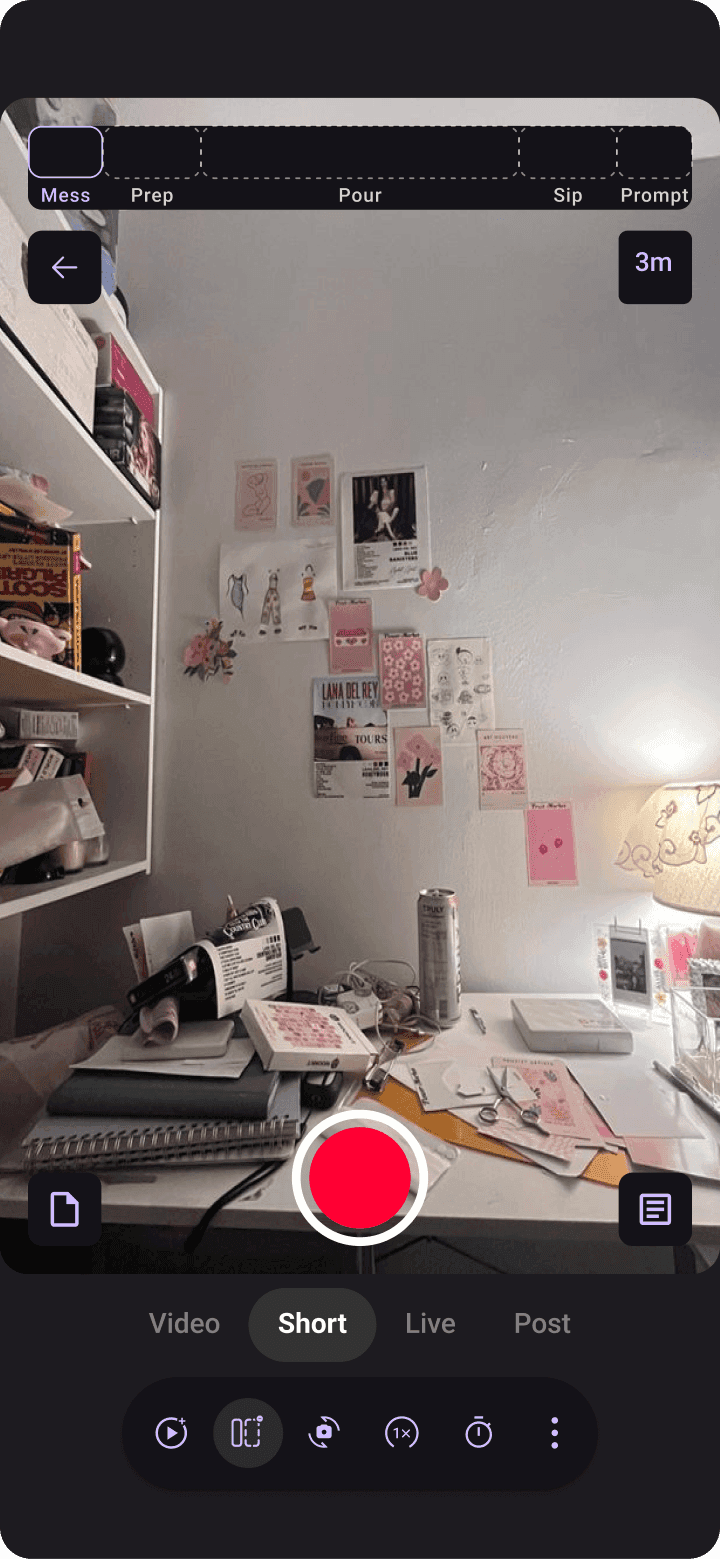
A camera overlay that guides filming, acting as a Director.
For Editing

Brand Kit
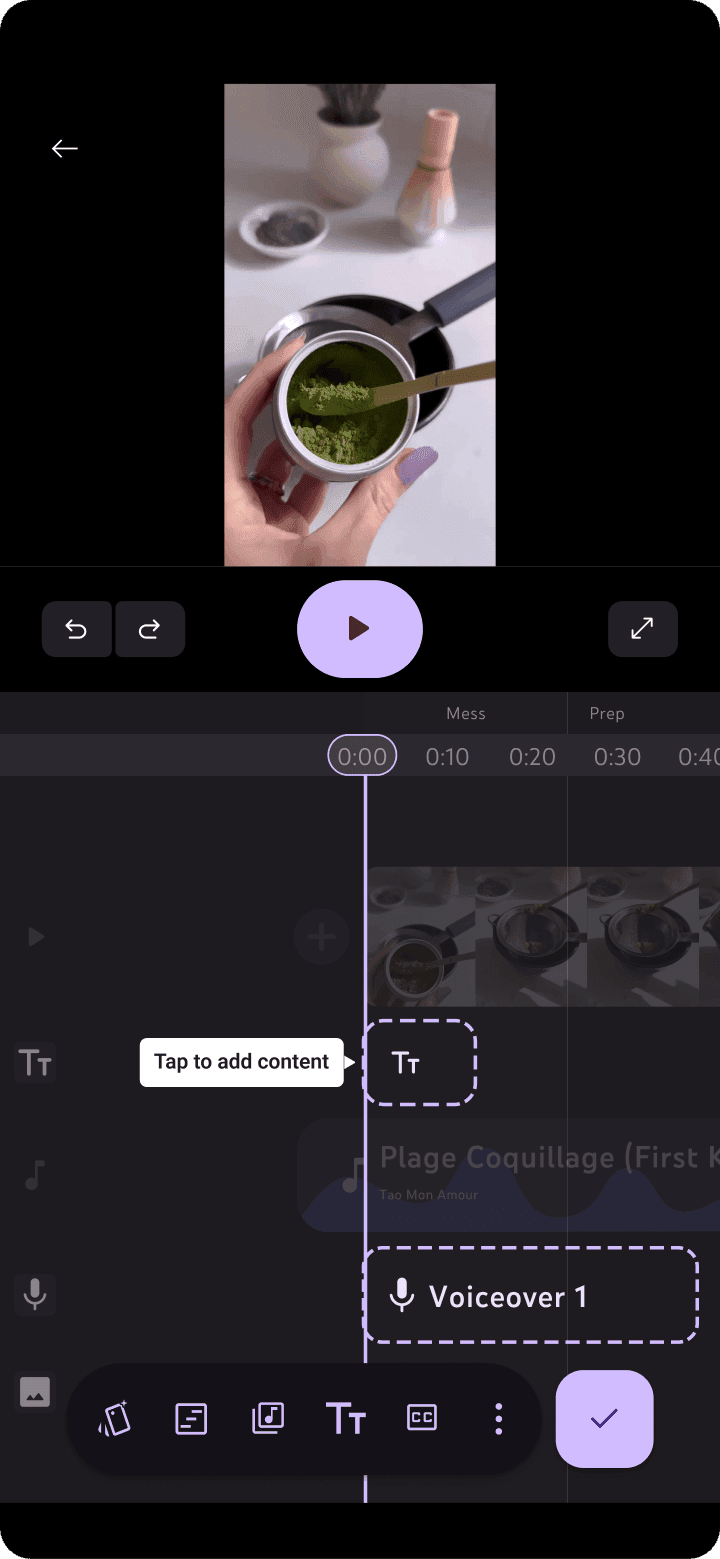
Handles the repetitive grunt work of consistency, automatically.
Insight
Creators told us they didn’t want a wizard that walks them through steps 1–10. They wanted a toolkit they could dip in and out of. So we kept the tools modular. No forced sequence, no linear pipeline.
The Iteration
Usability testing revealed two failures: one in interaction and one in comprehension.
The Interaction Pivot
We assumed creators wanted speed, so we built a linear chip-selection wizard.

Users felt boxed in.
Usability Study Participant
I’m not sure if it allowed me to think on my own.
We pivoted to a conversational UI. Shifted from AI-directed to creator-led.

Creativity demands flexibility. We scrapped the linear flow for an open, conversational model.
The Trust Gap
For Brand Kit, the UI worked. The mental model didn’t.
3/4 Users
didn’t understand the tool was “learning” from them
I didn’t understand what the tool was doing until I played around a bit.
They thought it was just a static filter pack.
If they don’t understand it, they don’t trust it. If they don’t trust it, they don’t use it.
So we added a Contextual Onboardinglayer. Not a tutorial, but tooltips that appear in the moment, explaining why a suggestion was made. Things like: “Suggested based on your last 3 videos.”

For GenAI, explainability is a UX requirement. If users don’t know why the AI is suggesting something, they assume it’s random and reject it.
The Ecosystem
Three tools. One seamless workflow.
The complete solution: Sandbox, Stencil, Brand Kit.
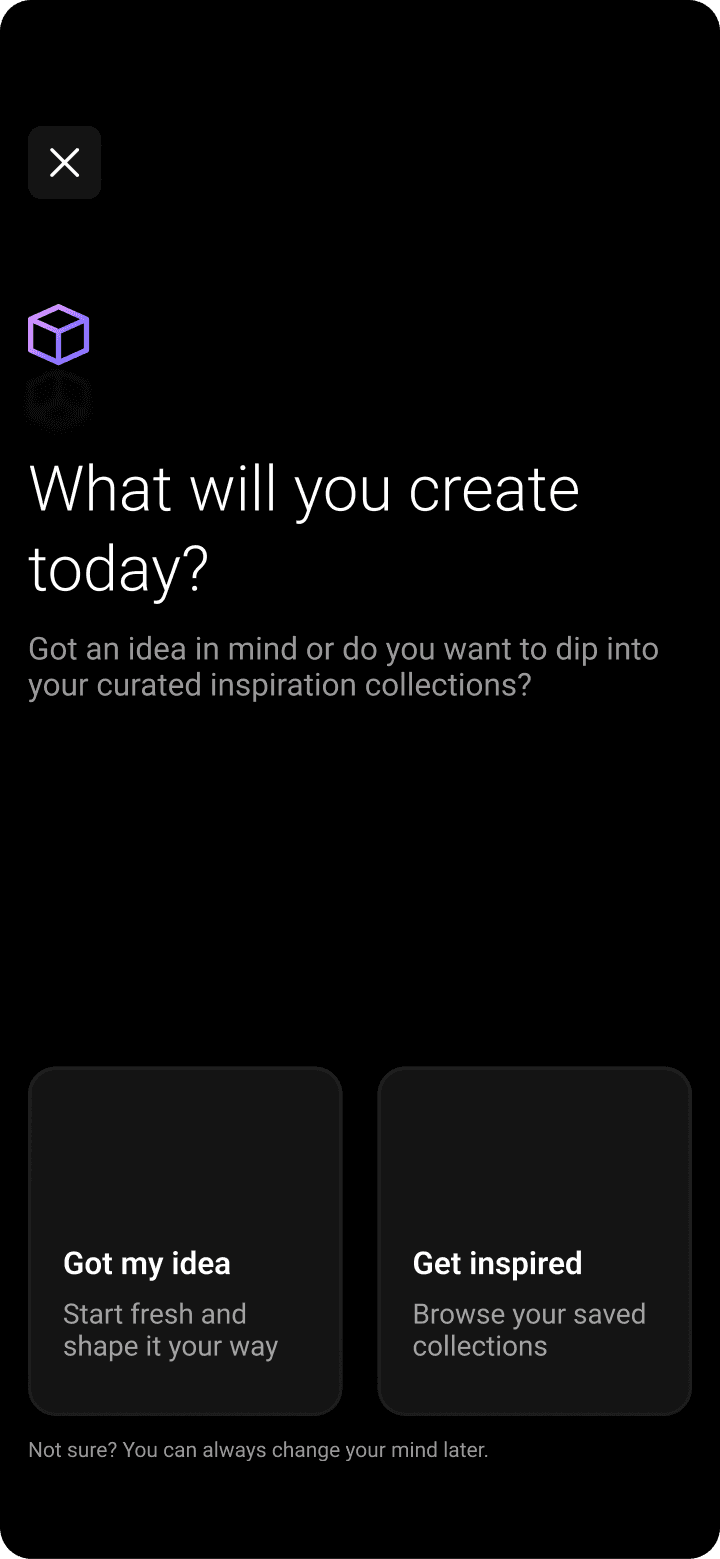
Introducing Sandbox

The creator stares at a blank canvas. They don’t know where to start.
Sandbox gives them a loose outline. Not a finished script. Just something to react to. The incompleteness is intentional: it leaves just enough room for the creator to make it theirs.
Say Hi to Stencil

The script exists. Now they have to actually film it.
Stencil overlays a shot-list directly onto the camera viewfinder. The creator always knows what to shoot next. No second-guessing. Just record.
Meet Brand Kit

The footage is ready. Now comes the part everyone dreads.
Brand Kit already knows their fonts, their pacing, their music choices. It applies them. The creator spends their energy on the cut, not on redoing setup from scratch every time.
Testing showed users were confused by these new tools. We implemented “Progressive Disclosure”, contextual tooltips that appear only during the first use of a specific feature, rather than a long upfront tutorial.
See it in Action
The Reflection
What I Learned
The Illusion of Incompleteness.
In creative tools, efficiency isn’t the only metric.
Make the process too fast, and the user feels no ownership over the result. We learned that the right amount of friction is a feature, it’s what makes the output feel like theirs.
I think that the future of GenAI isn’t automation. It’s a somewhat messy partner that keeps humans in the loop.
See my other projects
If you liked this project, my mom thinks you might like these too!